RBAC
Tenants
Tenants work like a global filter for all elements. By default, the common tenant is installed and used for all
elements. Note that the tenant feature is hidden, if only the common tenant is available. If more than one tenant
is configured, a tenant switcher appears on the top right.
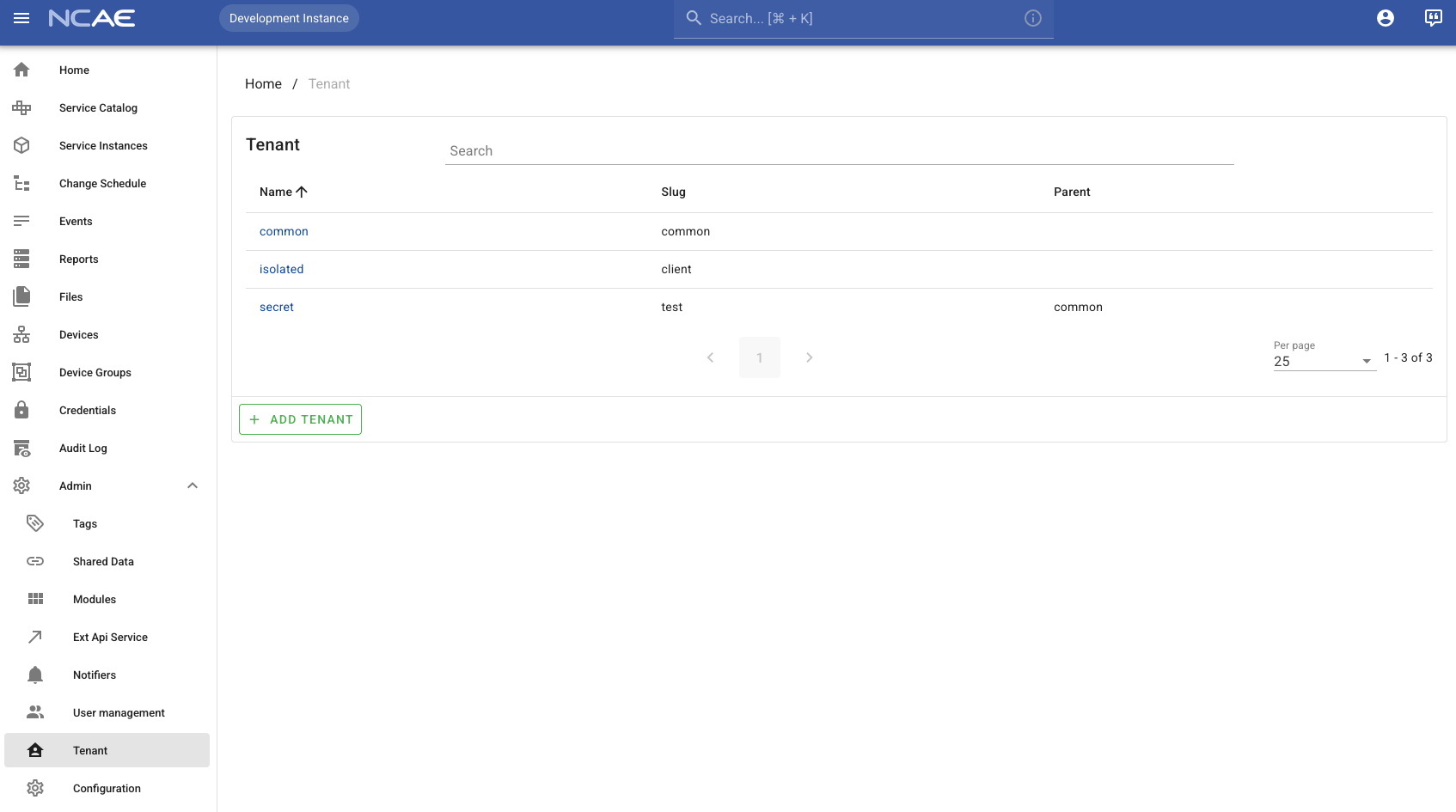
Tenants may have a parent; all elements of the parent tenant are also visible in the child tenant. Tenants can be managed in the frontend in the admin-section:
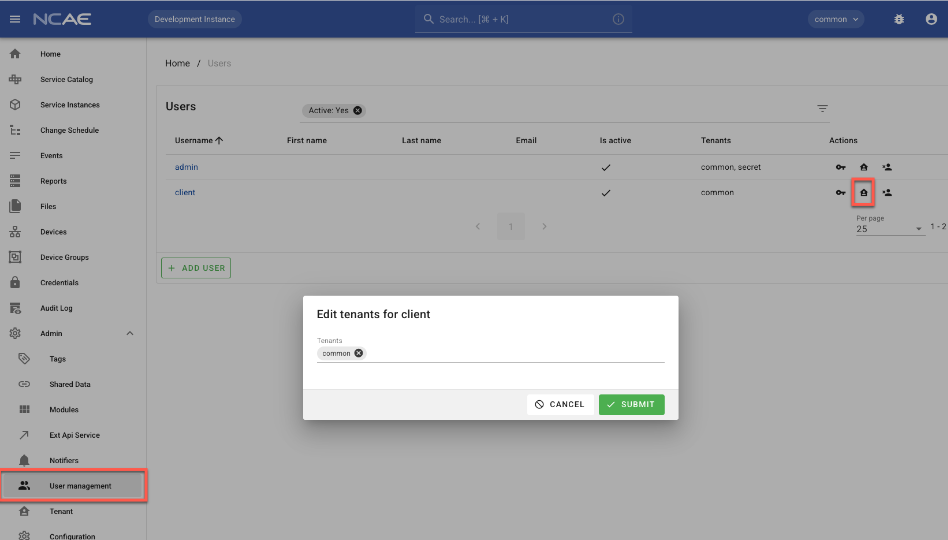
Tenants can then be configured per-user. A user may have multiple tenants.
Groups
NCAE ships with three default groups:
- Admin: Full rights to the selected Tenants and can do everything. This group is intended for infrastructure admins.
- Operator: An Operator has read permissions and can do changes to Service Instances. Operators are not allowed to change the NCAE itself, like (Services, Credentials, etc.
- Reader: Read only.
There is an additional flag for is_superuser. These users are allowed to do anything.
Map groups from LDAP to NCAE
LDAP group DNs can be mapped to NCAE groups and tenants. See LDAP group mapping for the required configuration and setup steps.
API
The tenant header can be passed as X-Tenant-Id header. By default, it is 1, indicating the common tenant. For
all instances that require a tenant, the API docs will include a tenant field (e.g. the Service). Some API models
inherit the tenant from their parent object (e.g. PhaseInstance).