User Guide
GUI Overview
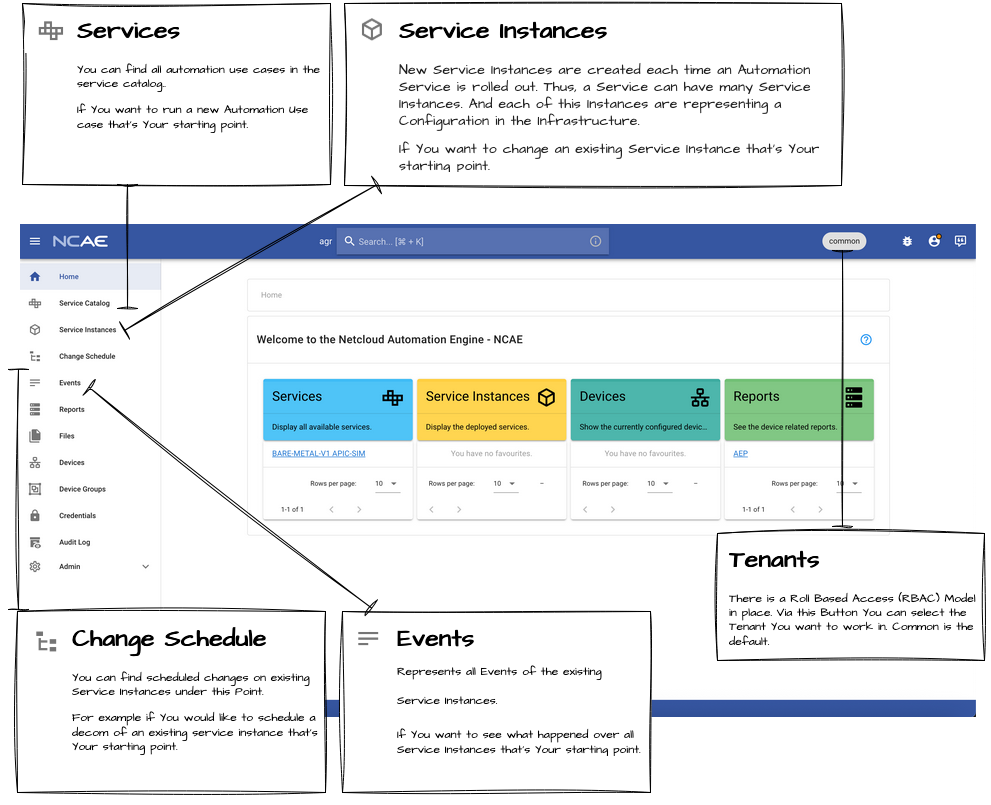
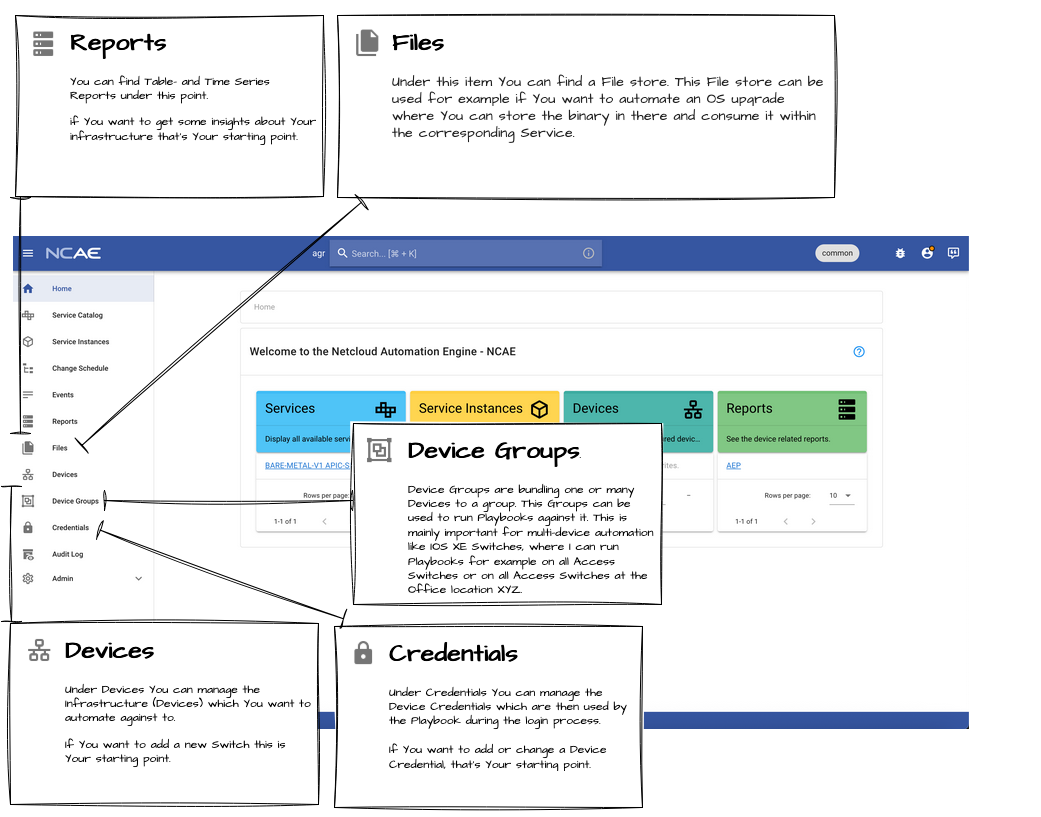
Services and Service Instances
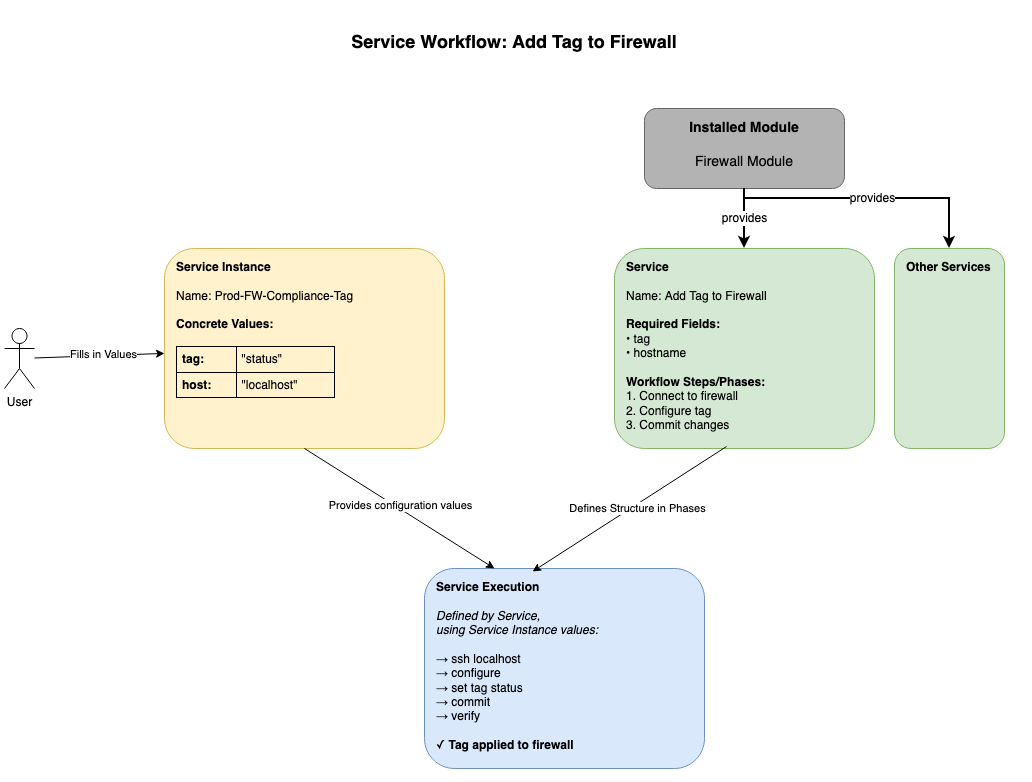
Think of a Service as a recipe template, and a Service Instance as actually cooking that recipe with specific ingredients.
- Service: The blueprint/template that defines how to perform an automation task (the workflow structure and steps). Services are provided by a Module or can be created manually in the NCAE GUI.
- Service Instance: A specific execution of that service with concrete values (which device, which configuration, etc.)
Service
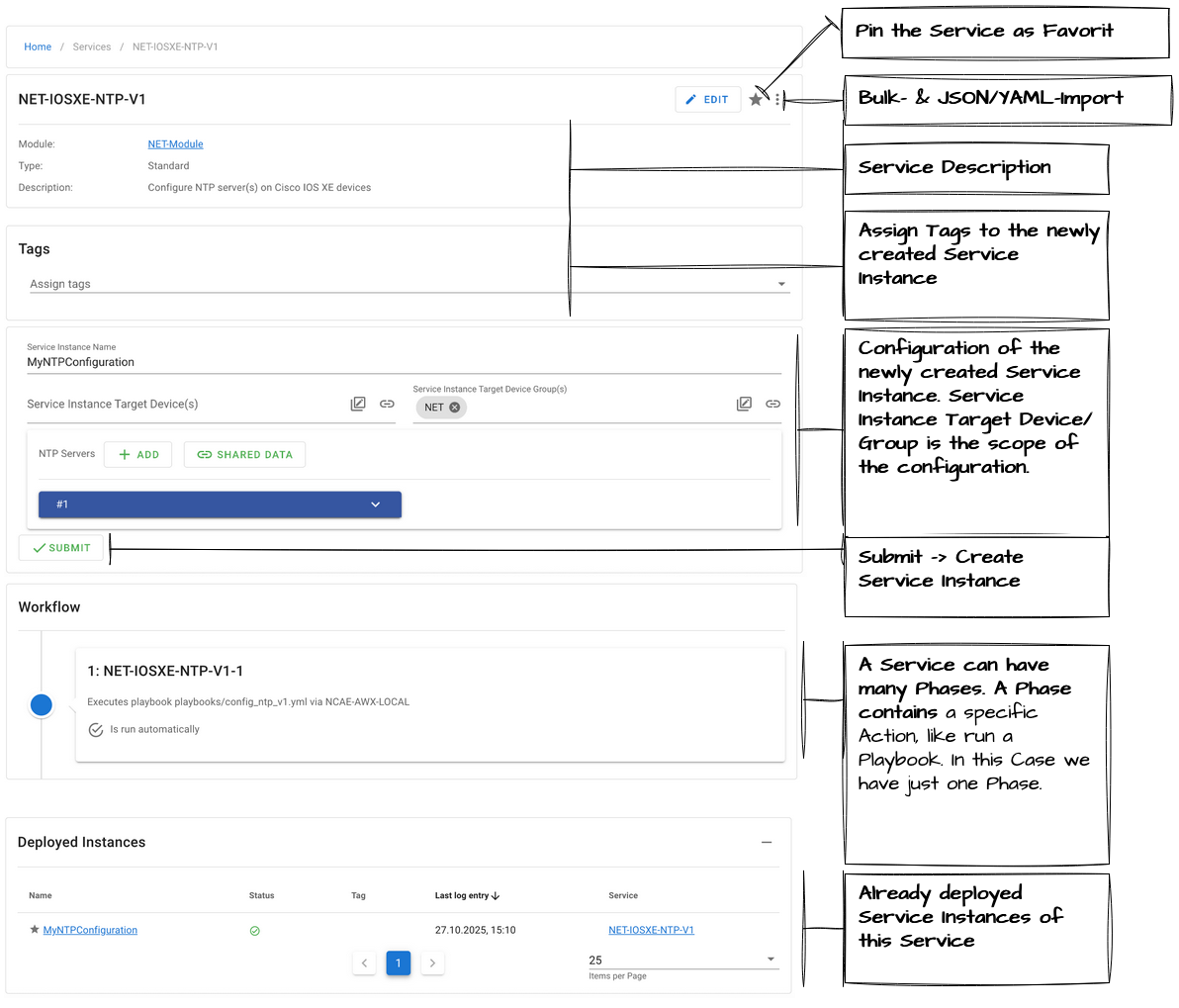
Services can be found via the Service Catalog. The detail view shows the service structure, fields, and phases.
Service Instances
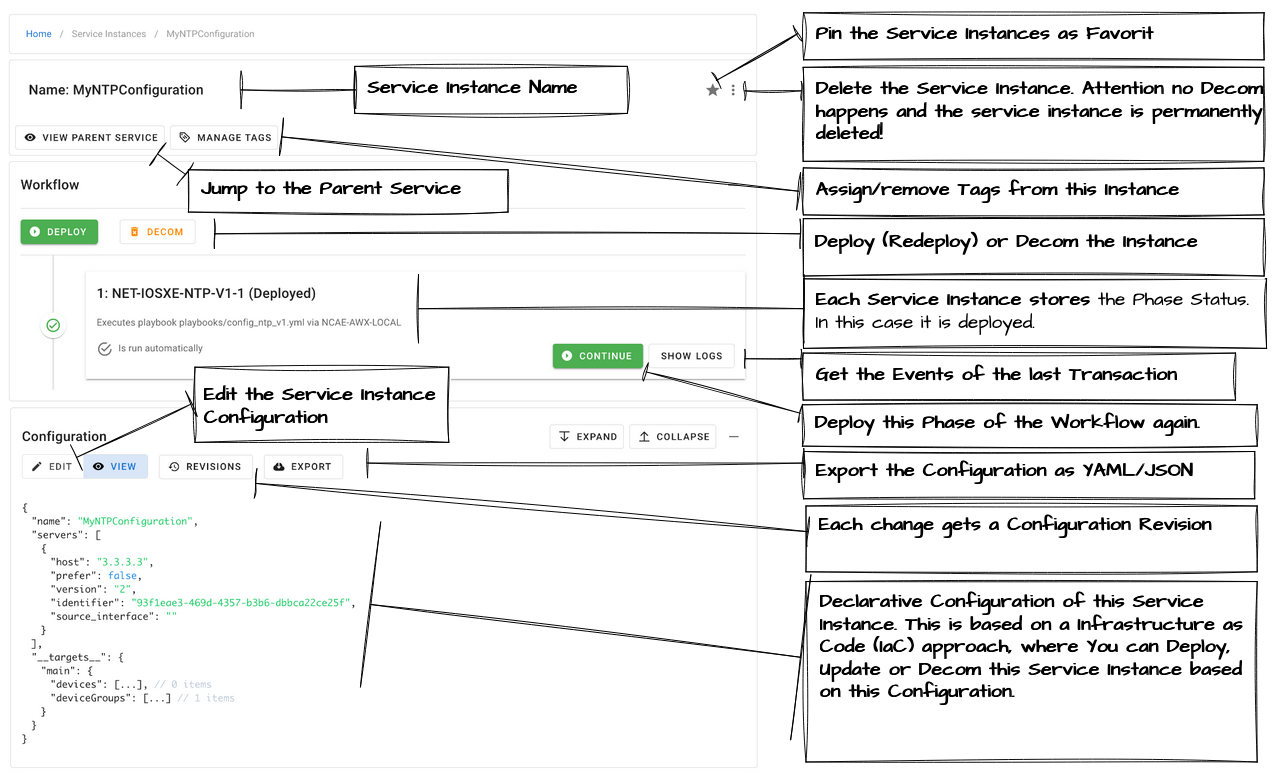
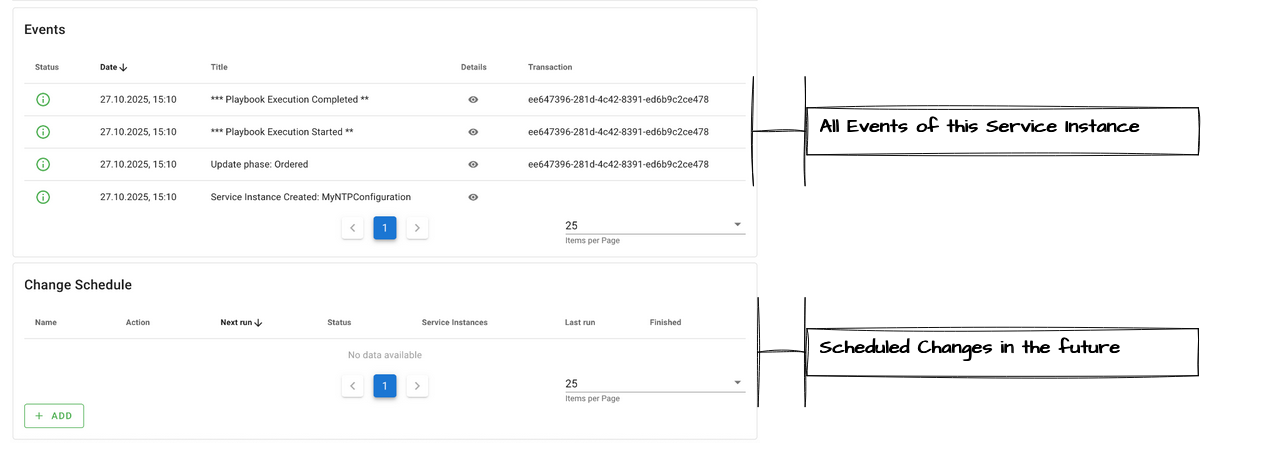
Service Instances support the following actions:
- Create — Instantiate a new Service Instance
- Redeploy — Redeploy an already deployed Service Instance
- Update — Edit the configuration and rerun the playbook
- Decom — Remove the configuration
Shared Data (Buckets)
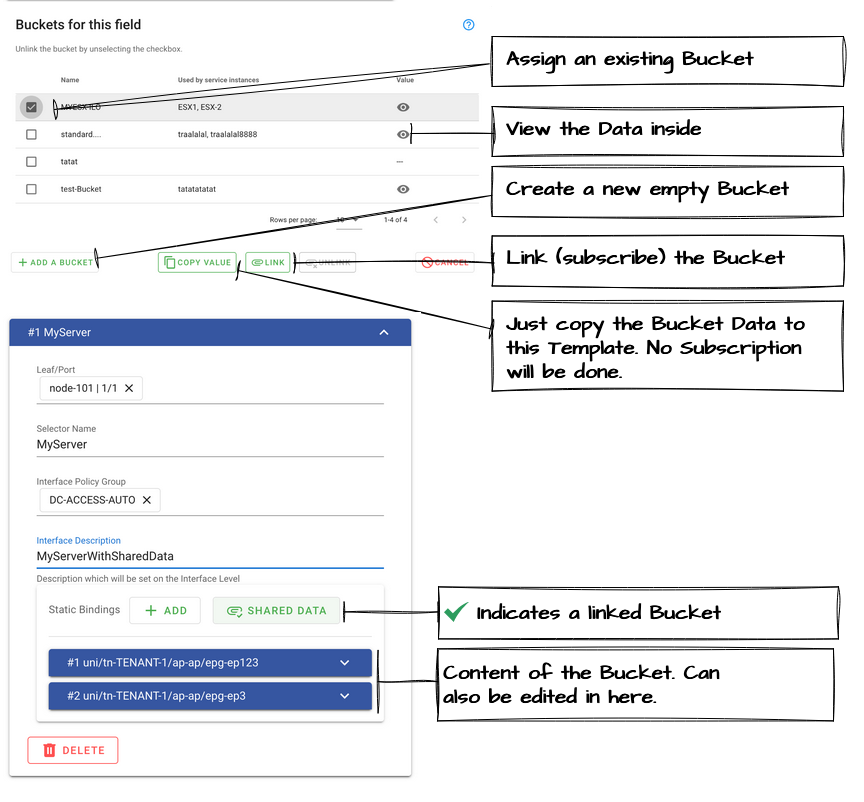
Shared Data (Buckets) is a concept for sharing configuration between Service Instances of the same parent Service. Within the Service template, each field can be marked as Shareable, which means a Bucket can be subscribed per field — typically used on group input fields.
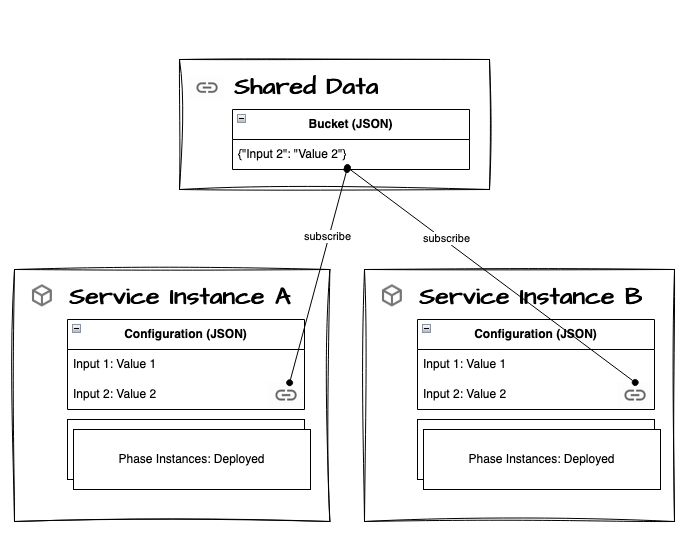
Updating rules:
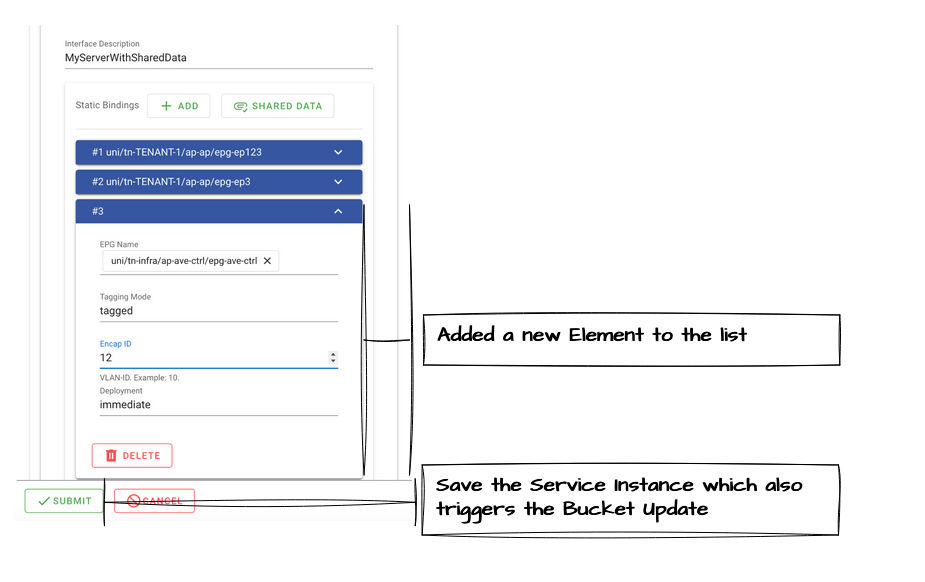
- Buckets can only be edited via the Service Instance Edit process
- Changes to a Bucket take effect after the Service Instance is submitted (saved)
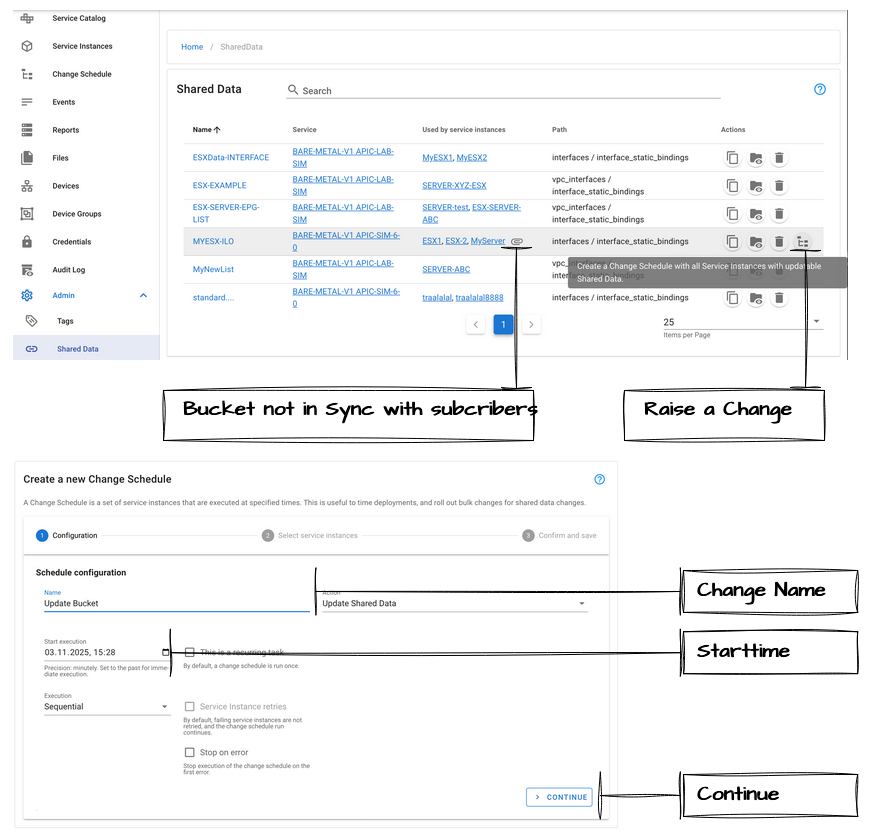
- Once one Service Instance is editing a Bucket, other subscribed Service Instances enter a Shared Data not in Sync status
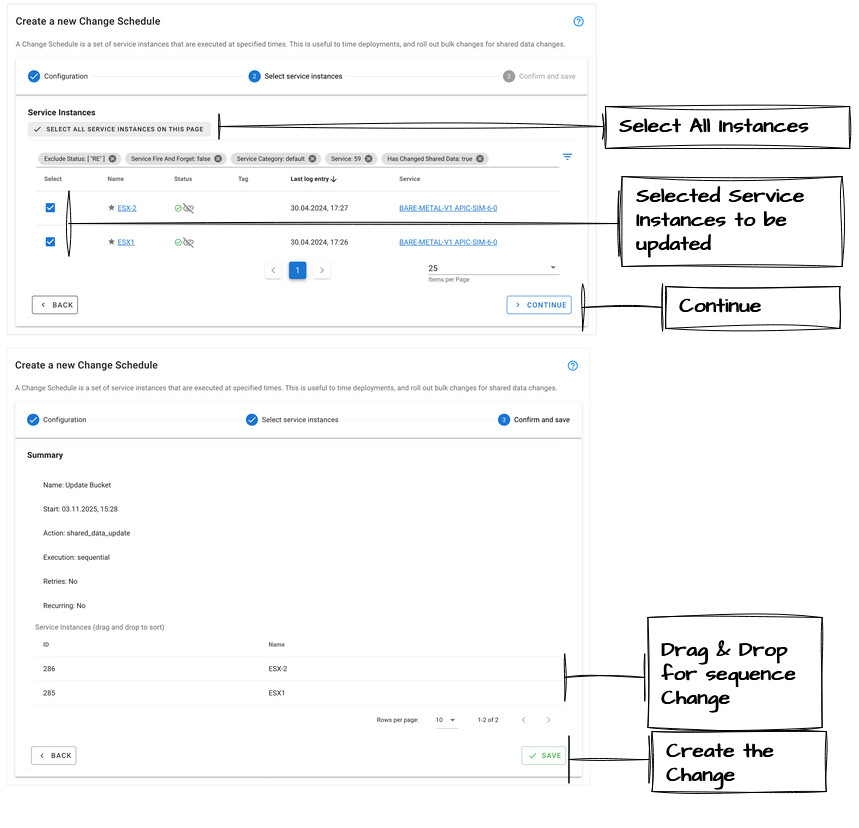
- Each Shared Data not in Sync Service Instance can be updated independently or via Change Scheduler
Subscribing a Bucket
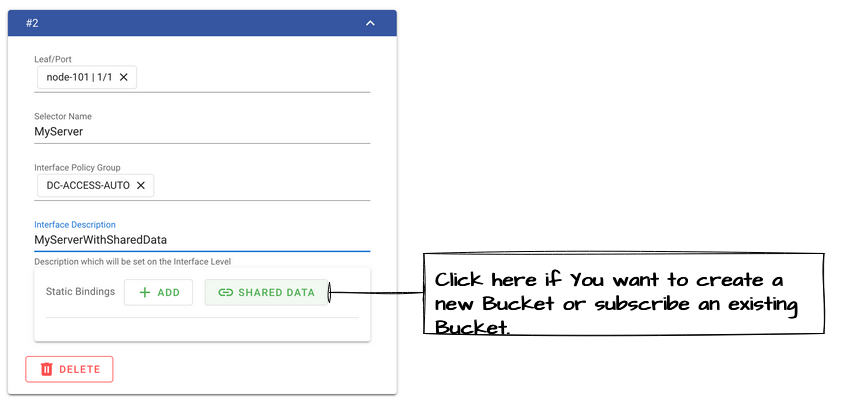
A Bucket can be subscribed via the Shared Data button in the Service template.
Editing a Bucket
Shared Data Update via Change Schedule
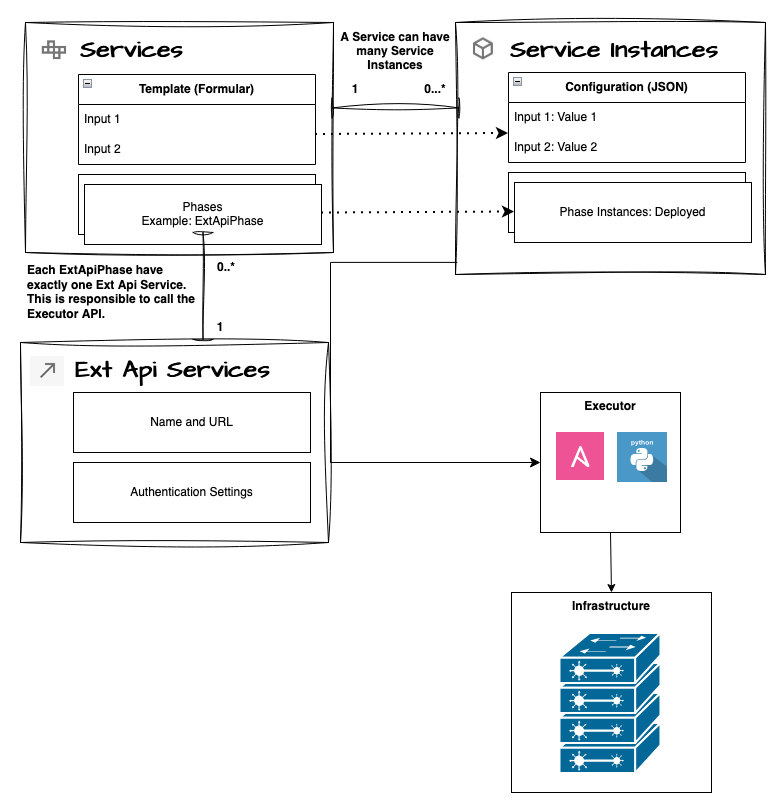
Relationship: Service and Service Instances
Each Service can have many Service Instances (i.e. many deployed configurations in the infrastructure).
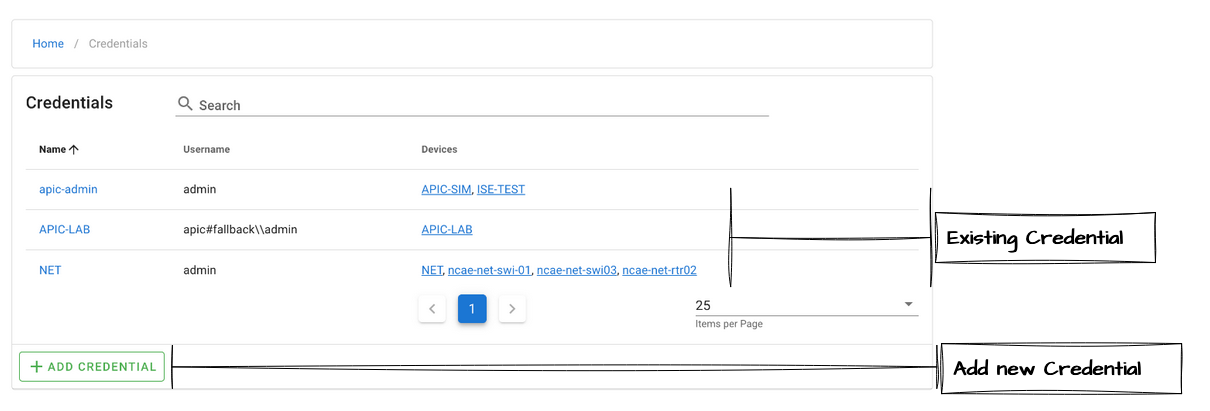
Credentials
Credentials are used to authenticate against devices.
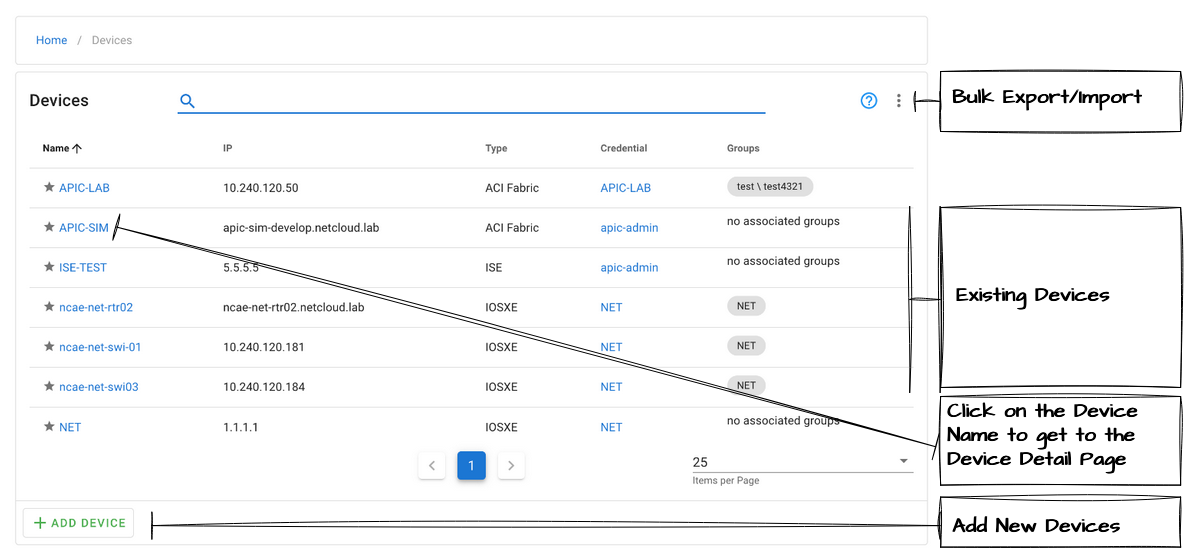
Devices
Modules
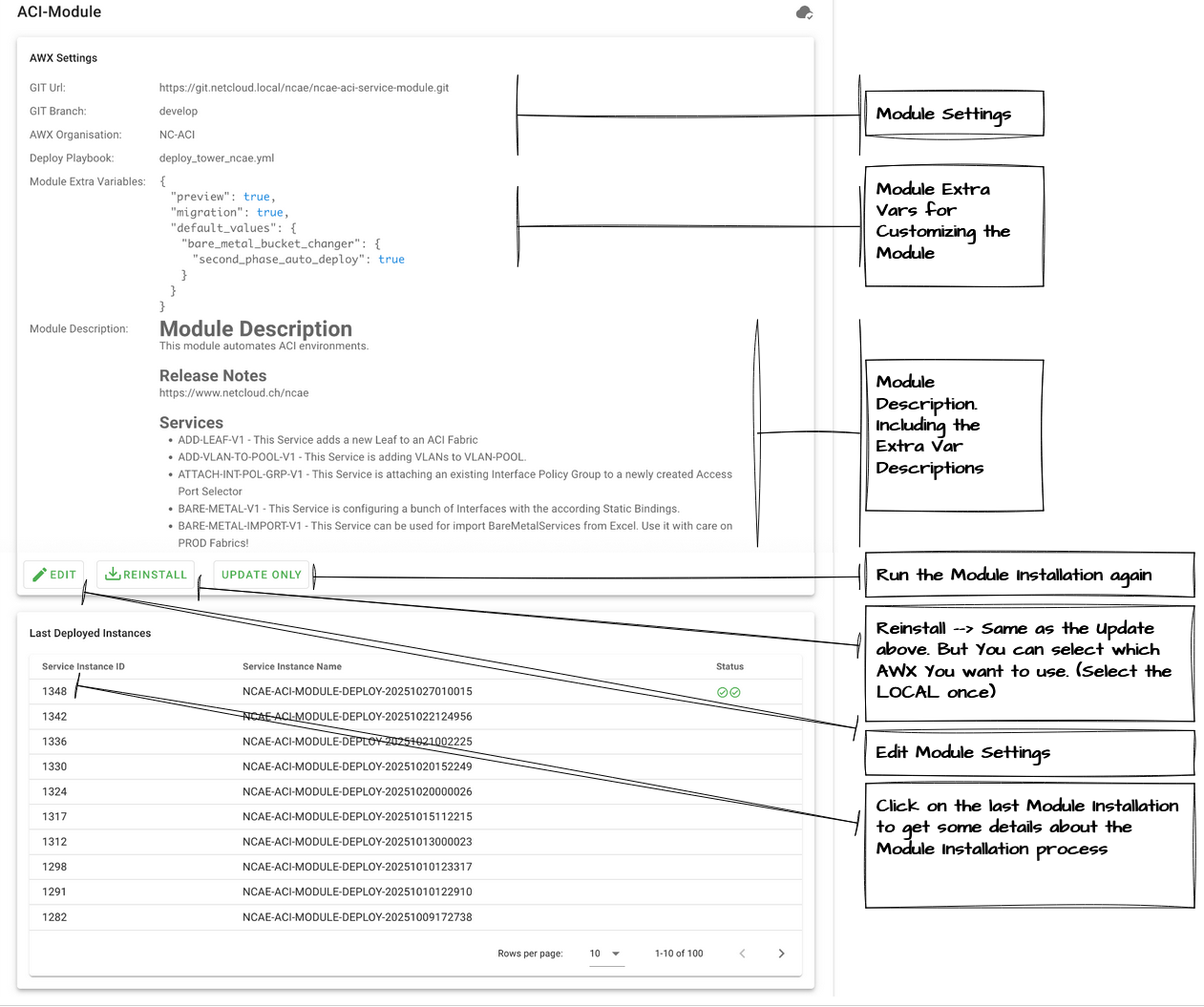
Modules contain Services and Reports. Netcloud-developed Modules encode best practices for infrastructure configurations and are continuously expanded and updated. Custom Modules can also be integrated.
Navigate to Admin → Modules to manage modules.
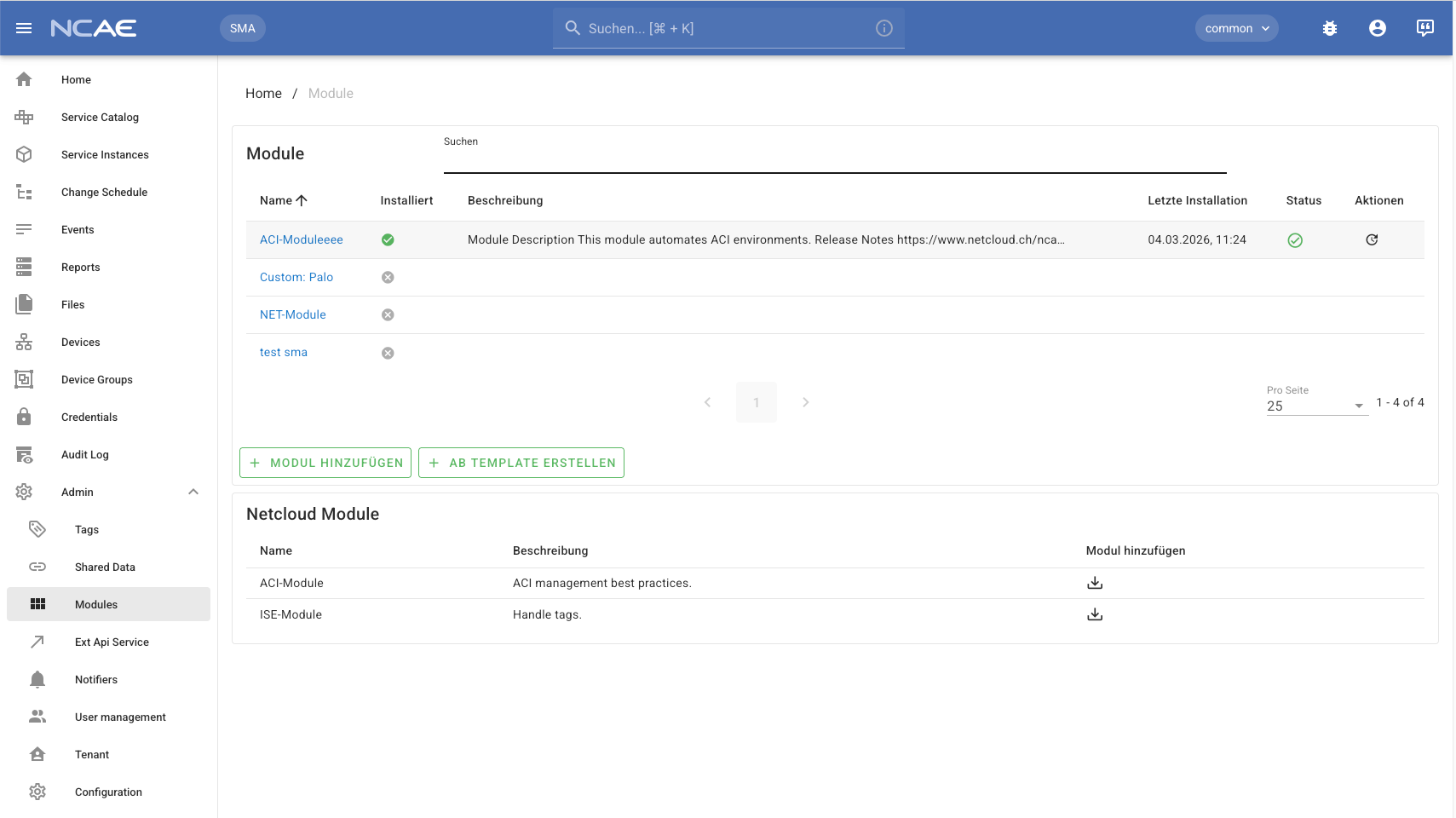
Clicking on a Module opens the detail view.
Architecture
See the Architecture section for a detailed overview of the NCAE building blocks.